Smart Thermostat & Time-of-Use Rates: What to Check
On a flat electricity rate, a kilowatt-hour costs the same at 3 a.m. as it does at 6 p.m. On a time-of-use (TOU) plan, it does not. Price depends on when you use the power.
That can make a smart thermostat more interesting, because heating and cooling are often a big part of a household’s electricity use. A thermostat that can shift when your system runs may help, but only in the right situation.
This guide explains how TOU rates work, how a smart thermostat can fit in, and what to check first. Compatibility and savings depend on your utility, your thermostat, and your electricity plan. No article can promise a fixed return, and this one doesn’t.
Quick Answer
A smart thermostat can help you manage cooling and heating on a time-of-use plan, but it is not automatic. To get value from it:
- Your utility must offer a TOU plan, and you must be on it.
- The price gap between peak and off-peak hours must be big enough to matter.
- Your thermostat must let you schedule or adjust by time, and some utility programs only work with specific models.
- Your home and HVAC system must be able to shift use without hurting comfort.
If any one of these is missing, the benefit may be small. Check your utility’s rules and the thermostat manufacturer’s instructions before you buy.
What Are Time-of-Use Electricity Rates?
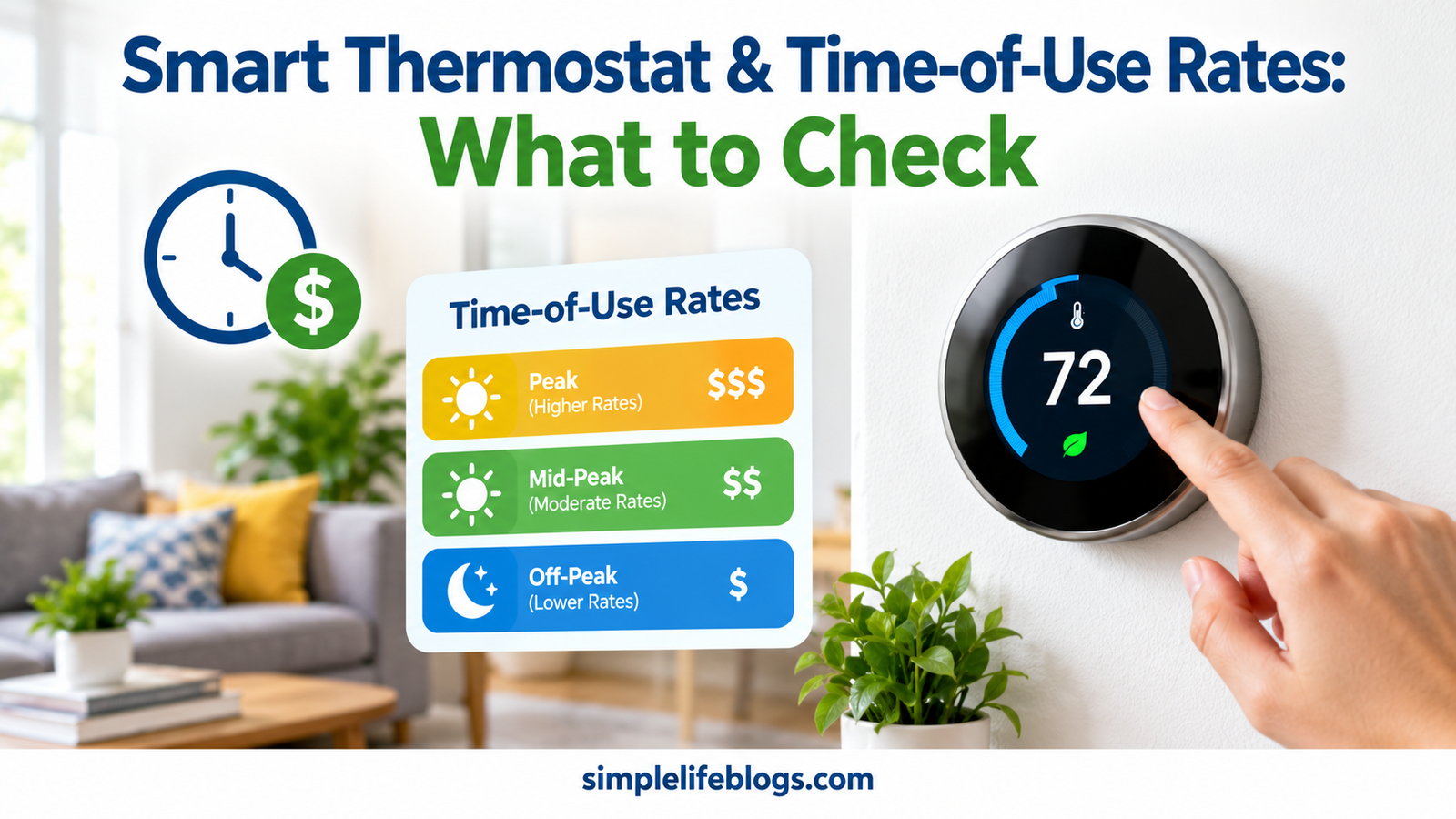
Under a TOU plan, your utility divides the day into pricing periods. The exact names and hours differ by utility, but you will often see:
- Off-peak: the lowest price, often overnight and sometimes weekends
- Mid-peak or shoulder: a middle price
- On-peak: the highest price, often late afternoon and early evening on weekdays, when demand is high
Many plans also change by season. Summer peak hours may be different from winter ones. Some plans treat weekends and holidays differently.
Related Plan Types
Utilities may offer other structures that sound similar:
- Critical peak pricing: a much higher price on a limited number of high-demand days
- Demand charges: a fee based on your highest power draw during a period, not only total kWh
- Real-time or variable pricing: prices that change with wholesale market conditions
- Tiered rates: price changes with how much you use, not when
A smart thermostat helps most with plans where the price depends on time. It may do little on a flat or tiered plan. If your bill mentions peak or off-peak periods, that is a sign you may be on a TOU plan.
If your bill is hard to read, see our guide on how to read an electricity bill and understand kWh usage.
Why Heating and Cooling Matter on a TOU Plan
Heating and cooling often account for a large share of household energy use. In hot or cold weather, your system may run hardest during the same late-afternoon and early-evening hours that many utilities treat as peak.
That creates the main idea behind TOU thermostat strategies: use less electricity for heating and cooling during expensive hours, and more during cheaper ones, without making your home uncomfortable.
How a Smart Thermostat Can Help
A smart thermostat does not change your electricity price. It changes when and how much your system runs. Common ways it can help include the following.
1. Time-Based Scheduling
You can set different temperatures for different parts of the day. For example, in summer you might set a lower temperature before peak hours begin and a slightly higher one during peak hours. A programmable thermostat can do this too. See our smart vs programmable thermostat comparison for the differences.
2. Pre-Cooling and Pre-Heating
This means running your system a bit more before peak hours, then allowing the temperature to drift during the peak period. In theory, your home stores some of that comfort and your system runs less when power is expensive.
How well this works depends on:
- Your insulation and air sealing
- Your windows and sun exposure
- Your climate
- The size and type of your HVAC equipment
- How fast your house gains or loses heat
A well-sealed, well-insulated home holds temperature better. A leaky home may lose the benefit quickly. Our guides on making your home more energy efficient and reducing air-conditioning costs cover shading, sealing, and heat gain.
3. Remote and Automated Adjustments
If your schedule or utility plan changes, you can update settings from an app. Some thermostats can also adjust based on whether you are home or away.
4. Usage Reports
Some models show how long your system ran. That helps you check whether you are using less during peak hours. For actual dollar costs, you still need your bill and your rate plan.
5. Utility Programs and Demand Response
Some utilities run programs that connect to compatible smart thermostats. In these programs, the utility may adjust your thermostat slightly during high-demand periods, and you may receive a bill credit, rebate, or other incentive in return.
Details vary a lot. Things that can differ include:
- Which thermostat brands and models qualify
- Whether you must enroll through the utility or the thermostat’s app
- How much the utility can change your settings, and for how long
- Whether you can override events
- What incentive is offered, if any
Always read the program terms. Ask whether participation could affect your comfort, and make sure you can opt out of or override events if you need to.
Compatibility: What “Works With My Utility” Really Means
A thermostat can be compatible in more than one way. Check each one.
| Compatibility Question | Why It Matters |
|---|---|
| Does it work with your HVAC system? | Furnaces, central AC, heat pumps, and boilers can have different wiring and control needs |
| Does it support time-based scheduling? | Needed for basic TOU strategies |
| Does it qualify for your utility’s program? | Utilities often publish a list of eligible models |
| Does your utility’s enrollment work with it? | Some require linking an account |
| Does it need a C-wire? | Affects installation and power |
| Does it support the features you want? | Pre-conditioning, geofencing, and reports vary |
Eligible models can change over time, so check your utility’s current list and the thermostat manufacturer’s page rather than relying on an old article, including this one.
If your home may not have a C-wire, see our guide on whether a smart thermostat needs a C-wire.
Heat Pump Owners: Be Careful
Heat pumps need extra thought on TOU plans. Large temperature changes can push a heat pump into auxiliary or backup heat, which may use more electricity, not less. Some thermostats have settings to limit this, but not all do.
Before using aggressive pre-heating or setbacks, read your heat pump’s guidance and our guide on how to choose a smart thermostat for a heat pump.
Savings: What Determines Your Results
Whether a smart thermostat saves money on a TOU plan depends on several things at once.
- The price gap. A large difference between peak and off-peak prices gives more room to save. A small gap gives less.
- Your usage pattern. If most of your heating or cooling happens during peak hours, there is more to shift. If you are rarely home at peak times, you may already use little.
- Your home. Insulation, air sealing, windows, and orientation affect how well you can shift use.
- Your equipment. Efficiency, size, staging, and type matter.
- Your climate. Mild areas have less to shift.
- Your comfort limits. Savings come from allowing the temperature to move, so the more flexibility you have, the more you can shift.
- Plan details. Some TOU plans also add fixed fees or demand charges, which change the math.
A Simple Example (Hypothetical)
These numbers are made up only to show the idea. Your rates will differ.
Suppose a plan charges 12 cents per kWh off-peak and 30 cents per kWh on-peak. If your system uses 3 kWh in an hour of peak time, that hour costs about 90 cents. If you moved that hour of use to off-peak, it would cost about 36 cents. The difference is 54 cents.
Now consider the catches. Pre-cooling may mean extra running time before peak, so you won’t move all of that use. Some of the cooling may still be needed during peak. And if the plan has a higher fixed charge, the net result changes.
That is why real savings need to be checked against your own bills, not copied from a headline.
How to Check Your Own Numbers
- Find your plan’s peak and off-peak hours and prices on your bill or your utility’s website.
- Use your bill or utility account to see usage by hour, if your meter supports it.
- Estimate how much of your use falls in peak hours.
- Make one change at a time, and compare similar weeks.
Our home electricity use guide shows how to measure and calculate costs. For single appliances, try the appliance running cost calculator, or use a plug-in electricity usage monitor for a more exact reading.
Should You Switch to a TOU Plan?
That is a bigger question than the thermostat. Before switching, compare your current plan with the TOU option using your real usage if you can. Ask your utility:
- What are the peak, mid-peak, and off-peak hours, by season?
- What are the prices for each?
- Are there fixed fees, minimum charges, or demand charges?
- Can I switch back, and are there any limits or fees?
- Are there bill-comparison tools or trial periods?
Some households come out ahead and others pay more, depending on when they use power. A smart thermostat can help you adapt, but it should not be the only reason to switch.
Tips for Using a Smart Thermostat on a TOU Plan
- Learn your plan’s hours first. Set your schedule around the real peak window.
- Start with modest changes. A couple of degrees is a reasonable start. Increase only if you stay comfortable.
- Test pre-conditioning slowly. Try it on a few days and watch both comfort and usage.
- Watch the seasons. Peak hours and prices may change.
- Use fans and shading. They help you feel comfortable at a slightly higher setting. See our air-conditioning cost guide.
- Cut other peak-time loads. Run the dishwasher, dryer, and similar appliances off-peak. Our guide on phantom power can help with always-on devices.
- Review your bills. Check that changes are making a difference.
- Keep it comfortable and safe. Do not let the home get too hot or cold for anyone who is vulnerable, such as babies, older adults, people with health conditions, or pets. Comfort and safety come before savings.
For general settings and features, see our smart thermostat guide.
Common Mistakes to Avoid
- Assuming every thermostat works with every utility program. Check the eligibility list.
- Expecting savings on a flat-rate plan. The TOU strategy only works if prices change by time.
- Using large setbacks on a heat pump. This can trigger backup heat.
- Ignoring your home’s insulation. A leaky home can undo pre-cooling or pre-heating.
- Not reading program terms. Know what the utility can change and how to override.
- Counting on a headline number. Treat any savings figure as an estimate, including manufacturer claims.
- Setting it and forgetting it. Schedules and rates change, so review them.
Frequently Asked Questions
Do smart thermostats work with time-of-use rates?
Many can be scheduled by time, which suits TOU plans. How well they work depends on your plan, your thermostat’s features, and your HVAC system.
Will a smart thermostat save me money on a TOU plan?
It might, but there is no guarantee. Results depend on the price gap, your usage pattern, your home, and your equipment.
Do I need a special thermostat for my utility’s program?
Sometimes. Utilities often list eligible models for their programs. Check your utility’s current list before buying.
What is pre-cooling?
It means cooling the home a bit more before peak hours so the system can run less during them. How well it works depends on your insulation, sun exposure, and equipment.
Can a utility control my smart thermostat?
Some demand response programs allow limited adjustments during high-demand events, usually with your enrollment and consent. Read the program terms and check how overrides and opt-outs work.
Is a TOU plan right for everyone?
No. It can work well if you can shift use away from peak hours, and poorly if most of your use is at peak times. Compare your usage with the plan’s prices first.
Do heat pumps work with TOU strategies?
They can, but heat pumps need care because large temperature changes may trigger backup heat. Check the manufacturer’s guidance and the thermostat’s heat pump settings.
Is a programmable thermostat enough for a TOU plan?
For basic time-based schedules, it may be. A smart thermostat adds remote control, reports, and possible utility program support.
Final Thoughts
A smart thermostat can be a useful tool on a time-of-use plan, but it is only one part of the picture. The real savings depend on your utility’s rules, your electricity plan, your thermostat, and your home.
Start by learning your plan’s peak hours and prices. Check whether your thermostat is compatible with your system and any utility program. Make small changes, keep comfort in mind, and compare your bills. And always read the manufacturer’s instructions and your utility’s program terms before you buy or enroll.